Guide
Google Play feature graphic: size, safe zone, and rules
The feature graphic is the one Play Console asset you cannot skip and cannot reuse from your screenshots. It is a 1024×500 banner, JPEG or 24-bit PNG with no transparency, and Play will not publish your store listing without it. It is also the cover of your preview video, so for many visitors it is the first frame of your listing they see.
Last updated November 21, 2026. Checked against Google's preview assets help page and the Metadata policy.
The short version
- 1024×500, JPEG or 24-bit PNG, no transparency. Required to publish.
- Keep your name and message in the center. Edges get cropped and covered.
- No phone mockups, no Free or #1, and no white, black, or dark gray background.
Feature graphic spec
| Size | 1024×500 px | Exactly. Google lists one size. |
|---|---|---|
| Format | JPEG or 24-bit PNG | No WebP, no PSD, no HEIC. |
| Transparency | None | No alpha channel, even if every pixel looks opaque. |
| Required | Yes | Play will not publish the listing without it. |
| File size | No limit listed | The 1024 KB cap on the same page is for the icon. |
The 1024×500 banner is not a screenshot and does not share a slot with them. Phone screenshot sizes are in the Google Play screenshot sizes guide. Android TV uses its own 1280×720 TV banner.
Where Play shows it
Google says the feature graphic appears in various places on Play, including these three.
Preview video cover
If you add a preview video, the feature graphic is its cover, with a play button on top whenever the video does not autoplay.
Large-format app collections
Google shows some app collections in a large format built around the feature graphic, including ads.
Recommended games
For games, large-format groups of recommended games can show the feature graphic next to videos and screenshots.
Because it is the video cover, a play button can sit right in the middle of it. Keep your headline readable around that button, not under it.
The safe zone
Google asks you to keep key elements in the focal point toward the center and out of the cutoff zones, because some formats crop the edges or add their own overlays. Push background art out to the edges instead.
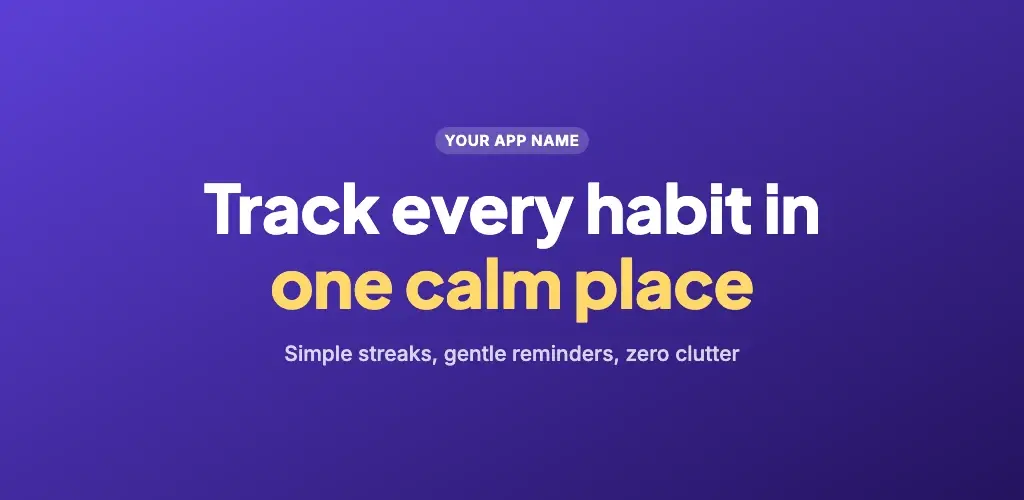 Keep name and message hereCutoff risk
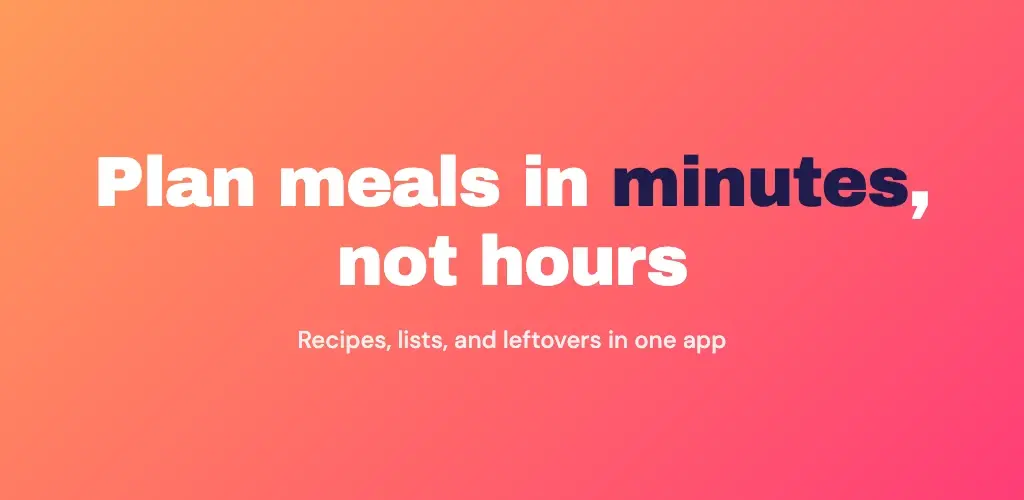
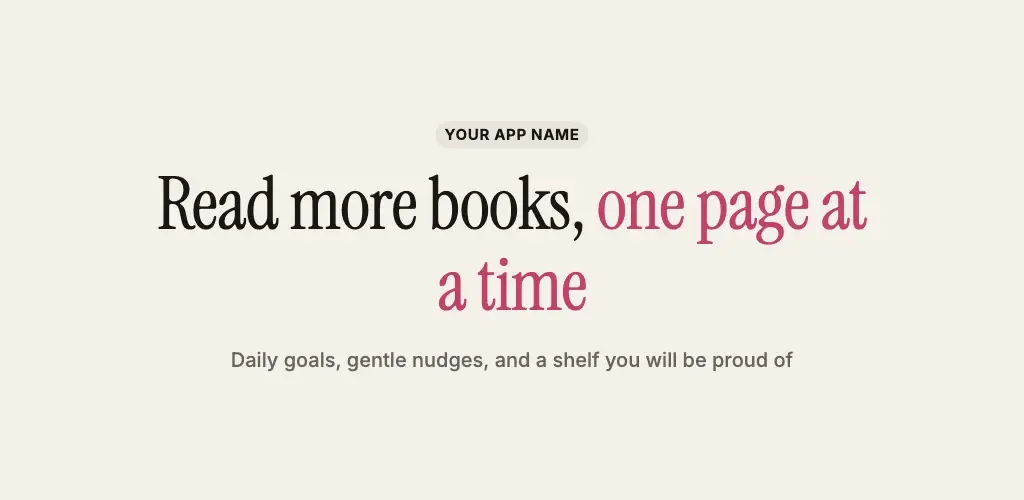
Three layouts that follow the rules
Each one is text-led, centered, and free of device art. They are the starting designs in the feature graphic maker, exported at 1024×500.
What to put on it, and what to leave off
Do
- Your app name and one short line about what it does.
- Key elements in the center, away from the edges.
- Background texture or art pushed out toward the edges.
- A saturated brand color, or soft illustration.
- Large, simple shapes that still read at a small size.
- A localized version for the markets you care about.
Avoid
- Phone or tablet mockups. Google says device imagery dates quickly.
- Pure white, black, or dark gray backgrounds that blend into Play.
- Branding that looks like a second copy of your app icon.
- Best, #1, Top, New, Free, Discount, Sale, or download counts.
- Prices, limited-time offers, and anything that expires.
- Calls to action like Download now. Google bans them in screenshots and video, so keep them off the banner too.
- Fine detail and paragraphs of text.
Google also asks for alt text on each graphic asset: 140 characters or less, and not starting with "image of". Describe what the banner says, for example "Habit tracker banner: track every habit in one calm place".
Recommendation or policy?
Google's preview assets page splits its rules in two. The size, format, and no-alpha items are requirements, and missing them can lead to removal. The design advice is "highly recommended", and ignoring it can limit where Play shows your banner.
The words are where the line blurs. The feature graphic advice to avoid Best, #1, Free, and Sale is a recommendation, but Google Play's Metadata policy lists price, promotional, and ranking claims in promotional images as violations. Treat them as banned.
Make one in a few minutes
- 01Open the free feature graphic maker. The canvas is already 1024×500.
- 02Pick a text-led design: Centered, Bold gradient, or Editorial.
- 03Replace the app name, the headline, and the short line with your own words.
- 04Set your brand color under Canvas. Avoid white, black, and dark gray.
- 05Download as JPG or PNG. Export is locked to 1024×500 with no transparency.
- 06Upload it in Play Console under your main store listing, in the feature graphic slot.
The feature graphic maker is free, needs no account, and runs in your browser, so your app name and copy stay on your device.
Check the file before you upload
Many design tools export PNG with an alpha channel even when nothing is transparent. On a Mac, this prints the size and whether the file has alpha:
sips -g pixelWidth -g pixelHeight -g hasAlpha feature-graphic.pngYou want 1024, 500, and hasAlpha: no. If alpha says yes, export JPG instead. That always drops it.
Google Play feature graphic FAQ
What size is the Google Play feature graphic?+
1024×500 pixels, as a JPEG or a 24-bit PNG with no alpha channel. Those are Google's listed requirements. A 2048×1000 export is the right shape but not the listed size, so export at exactly 1024×500.
Is the feature graphic required?+
Yes. Google's Play Console Help says you must provide a feature graphic to publish your store listing. Screenshots alone are not enough.
Where does Google Play show the feature graphic?+
Google lists it as the cover image of your preview video, in large-format collections of apps (including ads), and in large-format groups of recommended games. The list says "including", so treat it as a banner that can appear in several places, not one fixed slot.
Can I put a phone mockup on the feature graphic?+
Google advises against device imagery here because it can become obsolete quickly or alienate some users. Lead with your app name, one clear line, and your brand color instead. Phone mockups belong in your screenshots.
Can I write Free, #1, or New on it?+
Do not. Google's feature graphic guidance names words like Best, #1, Top, New, Free, Discount, Sale, and Million Downloads. Separately, Google Play's Metadata policy lists price, promotional, and ranking claims in promotional images as violations.
Is there a safe zone?+
Google says to keep key elements in the focal point toward the center and out of the cutoff zones, because some formats crop the edges or add overlays. It does not publish pixel margins. Our rule of thumb: keep your name and message in the middle 70% of the width.
What background color should I use?+
A saturated brand color or a soft illustration. Google advises against pure white, black, or dark gray because they blend into the Play interface around the banner.
Does the App Store have a feature graphic?+
No. App Store Connect has no 1024×500 banner. Apple's product page leads with screenshots and app previews, so this asset is Play only.
Phone screenshot sizes: Google Play screenshot sizes. What to write on the screenshots themselves: listing screenshot copy.
Make your feature graphic now
Exactly 1024×500, no transparency, three layouts that follow Google's rules. Free, no account.